
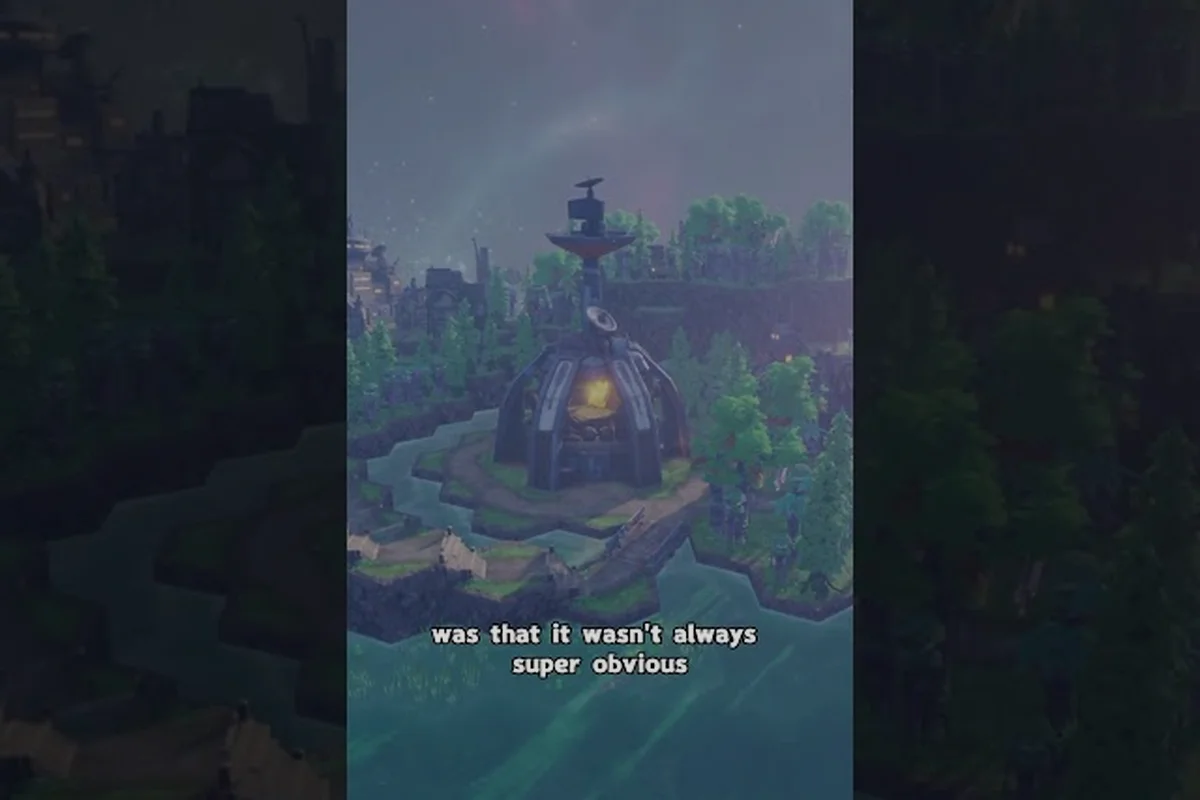
Once your settlement on the back of Kewa is stable, the next challenge in Beyond These Stars is leaving the local system behind and reaching the stars marked on the Galaxy Map. This page explains how to unlock travel between systems, what triggers your first interstellar jump, and which Galaxy Map nodes become available to Outposts and the Settlement Ship once the Home Spaceship is spaceflight-capable. It is intended for players who have finished the early game and are ready to push outward, since the exact prerequisites, costs, and node counts are not published by the developer and will need to be confirmed in-game.
Your First Steps Beyond Kewa
Leaving Kewa's back is the single biggest gear-shift in Beyond These Stars. Until you cross that threshold, your colony is parked in a single solar system, and the only "exploration" you can do is tile your settlement and grow potatoes. Once you learn how to unlock travel, the entire galaxy opens up, and the design of your run changes from "keep the Peeps fed" to "where should Kewa go next." For the primary source, see Dev Blog #28 on settleable planets.
According to the official developer posts, the galaxy is a procedurally scattered network of nodes, not a hand-crafted chain. Some nodes hold barren planets, some hold space junk, some hold trade stations, and some hide stranger objects. Because the map starts mostly hidden and reveals itself over time, your first goal is not to reach the edge of the map; it is simply to cross the threshold from local survival to interstellar travel. This guide walks through every mechanic the developer has actually published about that process, from your first conversation with Kewa to reading the Neutral Sector.
The Three Travel Unlocks, In Order
The dev blogs break the journey into three named steps. They are not optional, and they unlock in a fixed order, which is why most new players feel "stuck" right before travel — they have usually done step one but not step two. The table below summarizes what each step gives you and what triggers it.
| Unlock | Trigger | What It Adds |
|---|---|---|
| Solar System View | Your first conversation with Kewa (with dialogue choices that nudge their happiness) | Zoomed-out view of the local system, showing Kewa, nearby planets, and nodes around the home orbit |
| Scout Ship | Early-game research/tech and a built Scout vessel that carries José | The ability to investigate nodes in the local system using the Scout Ship's screen |
| Interstellar Travel | A higher-tier research unlock and a built Space Port / Landing Pad setup on Kewa's back | The ability to send ships off to other star systems and gradually reveal the broader Galaxy Map |
The Solar System View is free — it shows up right after your first conversation with Kewa, and it is where most players realize the game is bigger than their starting planet. The Scout Ship is the first thing that actually costs you, and it is what lets you poke at the nodes you can now see. The Interstellar Travel unlock is the one most guides call "unlocking travel," and it is the moment your Home Planet stops being the only map you will ever see.
If you have not yet triggered the Solar System View, the most common reason is that you have not had a real conversation with Kewa. Kewa is a character, not a backdrop, and they have their own happiness and health meters. Talking to them and choosing dialogue options unlocks the wider view, and your choices nudge their mood, which in turn affects how comfortable long-term travel becomes.
Building the Scout Ship and Clearing the Local System
The Scout Ship is the bridge between watching a system and exploring it. The developer has not published a step-by-step build order, but the official beginner's guide confirms that you build it through the standard research-and-build pipeline, and that the first thing you do with it is investigate the nodes you can now see in the Solar System View.
What the Scout Ship actually does
The Scout Ship is not a colony ship. It does not take Peeps with you, and it does not settle new planets. Its job is to investigate nodes and report back. In the official launch coverage, content creator RonEmpire repeatedly used the Scout Ship to "ping" nodes around the home system in order to learn what each one contained before committing any real resources. The investigation results are then logged in your codex-style interface, and that is what fills in the local map.
The interface itself is built around a simple feedback loop. You see a node on the map, you select it, you send the Scout Ship, and you wait for the result. Some nodes are empty, some are space junk, some are trade stations, and some are stranger objects that trigger dialogue or story beats. Because the developer has not published a full list of node types, treat any guide that promises an exhaustive list with skepticism — community coverage at launch is thin, and the official source remains the developer's own posts and the presskit.
Reading what each node type means
Below is a working table of the node types the developer has named so far, with what each one tends to give you in practice based on the official posts and the launch-week community reports. The official channels confirm the existence of all five node categories above. If a third-party guide claims additional node types such as "smuggler bases" or "pirate outposts," those are player inventions — Beyond These Stars has no combat, no enemies, and no PvP, and the developer has been clear about that scope.
| Node Type | What's There | Practical Value |
|---|---|---|
| Barren Planet | A planet with no atmosphere, no water, and minimal resources | Cheap to scout, low payoff; useful for Outpost planning once travel is unlocked |
| Space Junk | Derelict wreckage, often with a small salvage payoff | Early-game resources; not a settlement site |
| Strange Object | Anomalies, alien artefacts, narrative triggers | Lore and sometimes a one-time resource or perk |
| Trade Station | An NPC-run station you can interact with | Lets you convert surplus resources for things your planet cannot make |
| Aliens | A node that triggers an encounter with an alien character | Major story and reward beats; Ublo, the "infamous" and "cheeky" alien in Dev Blog #26, lives in this category |
What "Unlocking Travel" Actually Requires
The phrase "how to unlock travel" gets used in two different ways by new players, and confusing them is the main reason runs feel stalled. The narrow meaning is "how do I make my ships leave Kewa's local system." The broad meaning is "how do I get to the point where I can choose where Kewa takes me next." The narrow answer is the Interstellar Travel research and a working Space Port on Kewa's back. The broad answer is the whole late-early-game economy: enough surplus food, enough Advanced Goods, and a Kewa that is happy enough to carry the colony to a new region without dragging your happiness down.
The infrastructure check
You cannot just research Interstellar Travel and instantly leave. The Space Port and Landing Pad combo is the real gate, and the official beginner's guide treats them as the practical unlock condition. The developer has confirmed the following building rules:
-
A Space Port is the structure that shuttles ships between planets.
-
A Landing Pad is what lets an individual ship land on a planet.
-
A single Space Port can hold up to four Landing Pads, and each Landing Pad can take one ship at a time.
-
Space Ships cannot land on Kewa itself without a Landing Pad — this is the most common gotcha for new players, who assume Kewa's back is automatically a valid landing surface.
If you have researched Interstellar Travel but your ships still refuse to leave the system, the most likely cause is that you do not have a Space Port connected to a Landing Pad, or that your Landing Pad is unpowered. Check the adjacency and power layout before assuming the research itself failed.
The Settlement Ship myth
The Settlement Ship is the ship that actually lands on a new planet and starts a settlement there. It is not built by you. The developer's own posts are explicit that the Settlement Ship is delivered as part of the story progression, and that the player's job is to support it with a working Space Port and a populated Landing Pad, not to fabricate it in the Spaceship Builder.
This matters for unlocking travel, because the moment a Settlement Ship becomes available is the moment your run transitions from a single-planet colony to a multi-planet one. Until the Settlement Ship arrives, your interplanetary logistics are essentially one-way scouting trips, and that is by design.
Reading the Galaxy Map and Counting the Systems
Once you have the Scout Ship and the Interstellar Travel research in hand, the Galaxy Map starts to fill in. Dev Blog #28 is the most detailed official source on this: the map is partially visible at first, reveals more as you explore, and the nodes you find on it fall into the same categories you met in the local system — barren planets, space junk, strange objects, trade stations, and aliens — plus the special region called the Neutral Sector.
How many systems are there?
The honest answer as of the October 2026 launch is that the developer has not published a fixed system count. Beyond These Stars uses procedural placement, and the number of systems you encounter depends on the world seed you start from. Community channels in launch week are still in the very early stages of mapping the procedural output, and the official presskit does not list a target. For practical purposes, expect "dozens of nodes spread across a couple of named regions," not a hand-picked 50-system grid.
| Concept | Official Status (Oct 2026) |
|---|---|
| Fixed number of star systems | Not published by the developer |
| Procedural node placement | Confirmed by the procedural nature of the map reveal |
| Named region count | At least two: the home region and the Neutral Sector |
| Full map visibility from start | No — the map is partially visible and reveals over time |
If you want a hard count, you will need to wait for a future developer post or a community project that has actually mapped a large sample of seeds. Until then, treat any guide that quotes a precise system count as speculative.
What the Neutral Sector is
The Neutral Sector is the one named region beyond your home orbit that the developer has talked about explicitly. It shows up in Dev Blog #28 as a destination with a moderate climate, and it is the place where the game introduces a few resources and animals that your home system cannot easily provide — chickens and cows are the specific examples called out in the official post. Mechanically, the Neutral Sector functions as the first "destination" the player is meant to aim for, because it is close enough to reach with a single Interstellar Travel push but far enough to feel like a real change of scenery.
A useful mental model: your home region teaches you how to survive on a single planet, the Neutral Sector teaches you how to operate a multi-planet economy, and anything past the Neutral Sector is the late-game layer where the procedural map opens up and you start running into stranger objects, trade stations, and alien encounters at scale. If you want a more detailed breakdown of how the regions differ in temperature and biome, the star types and galaxy temperature guide covers that side of the system in more depth.
Strategy for an Efficient First Travel Run
Because the order of unlocks is fixed, your first few in-game hours should be spent getting each unlock in the right sequence rather than maxing out a single planet. Below is a four-step plan that aligns with the official beginner's guide and avoids the most common stalls.
-
Step 1 — Have the first Kewa conversation early. Do not delay it for the perfect settlement layout. The Solar System View unlocks the moment the conversation resolves, and it changes how you read your own screen.
-
Step 2 — Build toward the Scout Ship, not the Settlement Ship. The Scout Ship is your first real exploration tool. Use it to ping every visible node in the home system before you commit any research points to Interstellar Travel.
-
Step 3 — Stage your Space Port before researching Interstellar Travel. Once you research it, you want a Space Port with at least one Landing Pad already in place, because the Settlement Ship and any other long-range vessels need somewhere to dock.
-
Step 4 — Plan your Kewa mood, not just your cargo. A happy Kewa makes the travel layer work; an unhappy Kewa can drag the whole colony's happiness down, and in extreme cases the developer has noted that a sufficiently unhappy Kewa will trigger emergency travel to a colder region on their own. Keep their needs met before you push far past the Neutral Sector.
For a deeper look at the procedural side of the map — including how the same seed produces different regional layouts — the seed and exploration guide is a useful companion read, especially if you want a reproducible first run while the community is still mapping the procedural output.
Frequently Asked Questions
How do you unlock travel in Beyond These Stars?
Travel unlocks in stages. The Solar System View appears after your first conversation with Kewa. The Scout Ship becomes available through the early research-and-build pipeline. The Interstellar Travel unlock requires a higher-tier research plus a working Space Port with at least one Landing Pad on Kewa's back. Once every piece is in place, the Settlement Ship arrives as part of the story and your ships can begin moving between systems.
How many star systems are there in Beyond These Stars?
The developer has not published a fixed system count. The galaxy is procedural, so the number depends on your world seed, and community coverage in launch week is too thin to quote a reliable number. Expect to encounter dozens of nodes spread across named regions rather than a hand-picked fixed grid, and use the Galaxy Map reveal as your source of truth for your specific run.
What is in the Neutral Sector?
The Neutral Sector is a named region introduced in Dev Blog #28. It has a moderate climate, hosts chickens and cows as the headline new animals, and acts as the first multi-planet destination beyond the home system. Mechanically, it is the bridge between single-planet survival and late-game procedural exploration, and it is a sensible first target once you have Interstellar Travel.
Do I need a Landing Pad for Kewa?
Yes. The developer has confirmed that Space Ships cannot land on Kewa without a Landing Pad, and a single Space Port can hold up to four Landing Pads. If your ships are sitting in orbit and refusing to dock, an unpowered or missing Landing Pad is the most common cause. Plan the Space Port and Landing Pad combo before you commit to Interstellar Travel, because the Settlement Ship will not wait for you to build a dock.
Where can I see a working example of the unlock order in action?
The launch-week playthrough videos on the developer's channel and creator RonEmpire's channel both walk through the full sequence — first Kewa conversation, Scout Ship use, Interstellar Travel research, and Settlement Ship arrival — in real time. They are a useful sanity check for your own pacing, especially in the first 30 minutes where most new players lose time to avoidable stalls.