
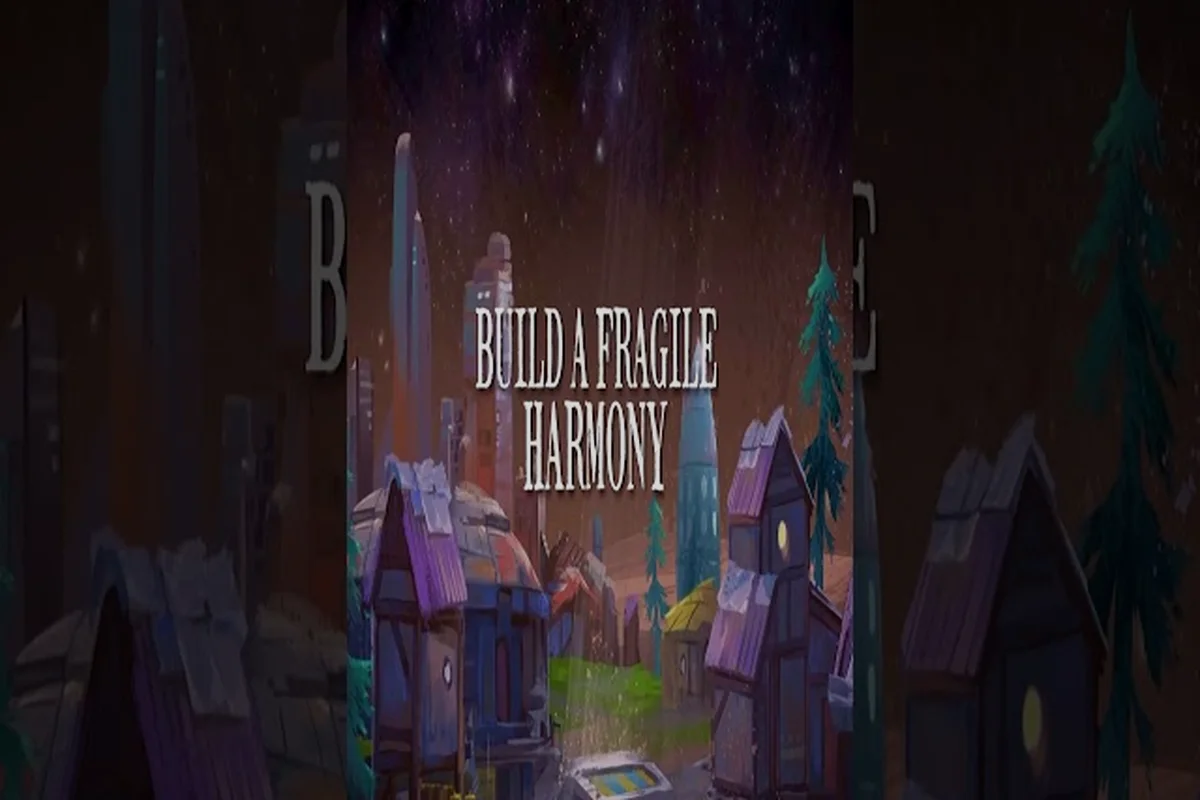
The Beyond These Stars galaxy map sits at the heart of the entire campaign, because every choice Kewa carries your Peeps toward eventually gets decided on that screen. Built on the back of a sentient Space Whale whose mood can swing from delighted to miserable, your civilisation starts as a single cramped settlement and grows into a small interstellar network the moment you start clicking on nodes. Understanding how the map reveals itself, what each system can hide, and how travel ties back into your economy is the difference between a campaign that stalls in the first sector and one that thrives across multiple planets. This walkthrough covers every mechanic the developer has confirmed, plus the practical rhythm you will want to settle into as soon as you unlock your Scout Ship.
What the Galaxy Map Looks Like at First
When you first sit down at your console, the Beyond These Stars galaxy map is barely a sketch. According to the developer's Dev Blog #28 on settleable planets, the chart is only partially visible at the start and fills in over time as Kewa drifts through the void. That partial reveal is intentional: you are meant to feel like explorers peering through fog, not tourists with a satellite feed.
Why the Map Starts Hidden
The fog-of-war style reveal is what makes the Beyond These Stars galaxy map guide experience feel earned. You cannot simply zoom out and queue a trip to the farthest node, because you do not yet know where that node sits. New sectors become visible as Kewa physically moves, which means each conversation with the whale can change your strategic picture. A line of dialogue about a cold sector ahead might open up entirely new routes a few turns later.
The Neutral Sector and Other Named Regions
Only one region has an official name in the developer's writing so far. Dev Blog #28 calls out the Neutral Sector as a named region holding a moderate-climate planet populated with chickens and cows. Every other node is described by what is inside it (barren planets, space junk, strange objects, trade stations, aliens) rather than by a sector label. As of the October 2026 launch, the developer has not published a full named-region map, so any specific region list beyond Neutral Sector would be invented.
| Map Element | What the Developer Has Confirmed | Source |
|---|---|---|
| Starting visibility | Partially visible, fills in over time | Dev Blog #28 |
| Node contents | Barren planets, space junk, strange objects, trade stations, aliens | Dev Blog #28 |
| Named regions at launch | Neutral Sector (1 of 1) | Dev Blog #28 |
| Map input method | Scout Ship investigation with José | Dev Blog #28 |
How Nodes Work Once They Are Revealed
A node is the small marker you click on to investigate, settle, or trade. Each one can hold several different kinds of content, and the Beyond These Stars travel guide side of the game is essentially about deciding which nodes to prioritise. Because every node is gated behind discovery, the early-game pacing is about pushing Kewa into new sectors rather than optimising a known route.
What You Can Find Inside a Node
The official dev blog lists the following node contents: barren planets with nothing growing on them, space junk that other civilisations left behind, strange objects that are story-flavoured curiosities, trade stations that act as out-of-settlement markets, and aliens you can talk to. Of those, Ublo is the only alien character with a confirmed name and personality, described in Dev Blog #26 as both "infamous" and "cheeky". Other alien encounters are atmospheric rather than named, which is part of why the Beyond These Stars galaxy map guide experience keeps surprising you.
Settling a Planet via the Settlement Ship
Once you find a settleable planet, you do not build a colony drop from scratch. According to Dev Blog #28, the Settlement Ship lands your Peeps on a new planet, and crucially, you do not construct that ship yourself. It is delivered to you as part of the gameplay loop, which removes one common city-builder chore. The ship carries your Peeps, drops them, and you can then begin building on the new planet the same way you did on Kewa's back.
Why Outposts Matter for Resource Gaps
Kewa cannot supply every resource your Peeps need, especially once you have settled multiple planets. Outposts on nearby planets act as supplements for what the home whale cannot produce, which is why experienced players treat the Beyond These Stars galaxy map as a logistics planner as much as a discovery tool. The developer has not published specific outpost production rates, so the practical way to use them is to drop an outpost on any planet whose biome or temperature complements Kewa's own.
| Node Content Type | Strategic Value | Confirmed Source |
|---|---|---|
| Barren planet | Low value, terraforming target | Dev Blog #28 |
| Space junk | Salvage, story flavour | Dev Blog #28 |
| Strange objects | Lore, optional quests | Dev Blog #28 |
| Trade station | Out-of-settlement markets | Dev Blog #28 |
| Aliens | Dialogue, named character is Ublo | Dev Blog #28, #26 |
| Moderate-climate planet (Neutral Sector) | Chickens and cows available | Dev Blog #28 |
How to Travel Between Planets in Beyond These Stars
Interstellar travel is built around interconnected layers: Kewa physically carries you across the galaxy, your Scout Ship investigates individual nodes, and your Settlement Ship plus Space Ports handle permanent routes. The Beyond These Stars how to travel loop combines all of them, and skipping any layer tends to break your economy somewhere down the line.
The Solar System View and the First Conversation
The Beyond These Stars solar system view unlocks right after your first conversation with Kewa, which is the first major progression gate. That view is the smaller-scale map you will use when planning jumps between adjacent planets. Before the solar system view unlocks, you are effectively limited to building on Kewa's back, so the first thing any new player should do is finish that opening conversation and trigger the map.
Using the Scout Ship with José
The Scout Ship is your investigation vessel, and you ride it with José when you want to inspect a node. Dev Blog #28 frames the Scout Ship as the way to peek inside a fogged node, which is the only sanctioned way to learn what a node actually contains before deciding whether to commit a Settlement Ship. The Scout Ship is the bridge between "we can see this node" and "we know what is in it", and the Beyond These Stars how to unlock travel resource goes deeper into the exact unlock order.
Space Ports, Landing Pads, and Permanent Routes
Once you have multiple planets, you need permanent transport infrastructure. According to the official dev material, ships shuttle between Space Ports, and a single Space Port can hold up to four Landing Pads, with each pad taking one ship at a time. There is a hard rule here that players sometimes miss: Space Ships cannot land on Kewa, and they also cannot land on a planet that does not have a Landing Pad. If you want your Peeps to move cleanly between settlements, plan your pads before you commit your ships.
| Ship / Infrastructure | What It Does | Capacity Rule |
|---|---|---|
| Scout Ship | Investigate nodes with José | One ship at a time |
| Settlement Ship | Land Peeps on a new planet | Not built by the player (Dev Blog #28) |
| Space Port | Permanent transit hub | Up to 4 Landing Pads |
| Landing Pad | Single-ship landing slot | One ship per pad |
| Outpost | Resource supplement on a nearby planet | Supplements what Kewa cannot supply |
Story Connections: Why the Map Matters Narratively
The Beyond These Stars story explained through the lens of the galaxy map is essentially the question of why your Peeps are out here at all. The campaign is a direct follow-up to Balancing Monkey Games' earlier title Before We Leave, which set the broader universe your civilisation now flies through. If you want a side-by-side comparison, the Beyond These Stars Before We Leave connections breakdown covers the shared DNA between the two games.
The Sequel Relationship to Before We Leave
The developer has called Beyond These Stars a follow-up to Before We Leave, and the galaxy map is the clearest expression of that. Where Before We Leave was a planetary, hex-based city builder, the sequel moves the action off-world and onto the back of a living creature. Kewa is the obvious new ingredient, but the Beyond These Stars sequel to Before We Leave relationship also shows up in the way you terraform (dig canals, add top soil, plant trees, maintain forests) and in the soft humor of Peep needs. Anyone who played the earlier game will recognise the satisfying maintenance loop, just scaled up to a galactic canvas.
What Happened to the Ancestors
The galaxy map is also where the ancestor question gets answered indirectly. As you push into new sectors, you keep finding ruins, space junk, and strange objects that imply someone was here before. The Beyond These Stars what happened to the ancestors page goes deeper into the lore, but the short version is that your Peeps are carrying on a long-civilisation project, and the map is essentially a record of every place your ancestors forgot to maintain.
Kewa as a Map Participant
Kewa is not just your ride. They have their own happiness, their own health bar, and their own dialogue, and the Beyond These Stars galaxy map reacts to all three. According to Dev Blog #29, a hot galaxy drags Kewa's happiness down, and if that happiness falls far enough, Kewa starts emergency travel somewhere cold. The map is therefore not a passive chart but a feedback surface: ignore Kewa and you will find your planned route overridden by an emergency detour.
Practical Exploration Tips and Strategy
The Beyond These Stars galaxy map guide section is less about the dev blog and more about the rhythm you fall into once you start playing. A few practical tips, all phrased in type-level language so we never invent a specific number the developer has not published.
Use the Scout Ship Before the Settlement Ship
A common mistake is committing a Settlement Ship to a node you have not investigated. The Scout Ship is cheap relative to a Settlement Ship, and José will tell you what is actually inside. Always scout first, settle second, and your Peeps will land on planets that actually support the buildings you want to put down.
Plan Your Landing Pads Around Trade Routes
Once you have two or three settled planets, your biggest transit bottleneck will be Landing Pads. Each pad takes one ship at a time, and Space Ships cannot land on Kewa without a Landing Pad either. If you want smooth traffic between your home base and your colony worlds, make sure every planet on your main route has a Space Port with at least two pads from the moment you settle it.
Match Your Seed and Your Sector
The game supports seeded runs, and the Beyond These Stars seed guide approach is to pick a world seed that gives you a friendly starting sector before you commit. If you would rather optimise your run for exploration, the Beyond These Stars seed guide page lists the type of variables to look for, including terrain, water distribution, and the planets that show up near Neutral Sector. The developer has not published a public seed list, so treat any specific seed recommendation as a community-reported value rather than a confirmed mechanic.
Read the Galaxy Temperature
Galactic temperature is a real, named system. The Beyond These Stars star types page covers this in detail, but the short version is that a hot galaxy drags Kewa's happiness down and a cold one can do the opposite. If you notice your Peeps losing Celebrations and your shifts getting harsher, check the galaxy temperature before assuming you have a building problem. The map will tell you the climate trend; Kewa's mood will reflect it.
| Tip | Trigger to Use It | Why It Helps |
|---|---|---|
| Scout before settling | Every new node | Avoids wasted Settlement Ships |
| Plan Landing Pads | Second settled planet onward | Prevents traffic jams |
| Match seed to sector | First playthrough, sandbox | Smooths early-game tempo |
| Watch galaxy temperature | Kewa mood changes | Reframes the cause of unhappiness |
| Drop outposts early | Resource gaps appear | Supplements what Kewa cannot supply |
Frequently Asked Questions
How do you unlock the Beyond These Stars galaxy map?
The Beyond These Stars galaxy map unlocks right after your first conversation with Kewa, at which point the Beyond These Stars solar system view also becomes available. The wider galaxy map then fills in over time as Kewa moves through new sectors, so expect a slow reveal rather than a full chart on day one.
What is the difference between the Scout Ship and the Settlement Ship?
The Scout Ship is the early vessel you use to investigate nodes alongside José, while the Settlement Ship is the one that actually lands your Peeps on a new planet. Crucially, the Settlement Ship is not built by the player; the developer delivers it to you as part of the loop, which keeps the Beyond These Stars how to travel rhythm focused on scouting, not on ship construction.
Is Beyond These Stars a sequel to Before We Leave?
Yes. Beyond These Stars is the follow-up to Balancing Monkey Games' earlier title Before We Leave, and the galaxy map is the clearest mechanical expression of that relationship. The shared DNA shows up in terraforming, in Peep needs, and in the soft, low-stakes tone, but the sequel moves the action onto a Space Whale and out into multiple star systems.
Can Space Ships land directly on Kewa?
Not without a Landing Pad. According to the official material, Space Ships cannot land on Kewa or on a planet without a Landing Pad, which is why every settlement you build should include at least one pad from the moment it is set up. Skipping this is one of the most common reasons new players find their routes stalling.
What does the Neutral Sector contain?
The Neutral Sector is the only named region the developer has confirmed at launch, and it contains a moderate-climate planet with chickens and cows. Other regions exist on the Beyond These Stars galaxy map but are described by node contents rather than by sector names, and as of October 2026 the developer has not published a full sector list.